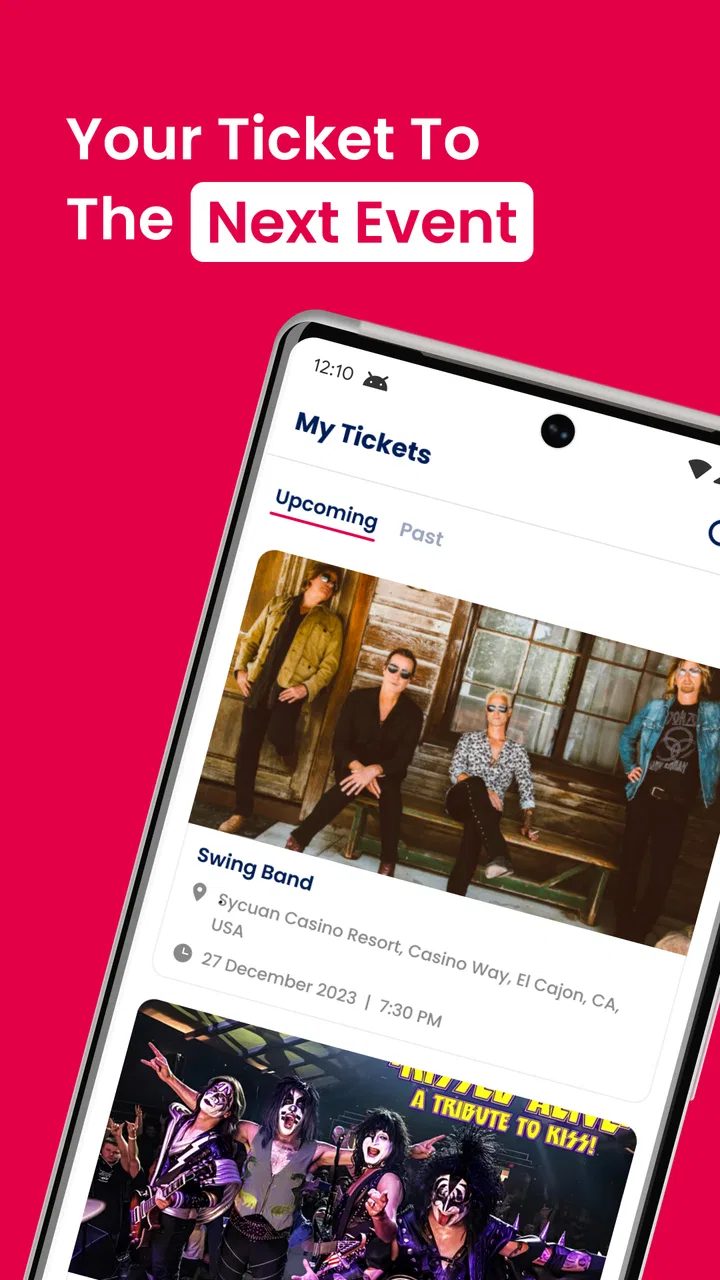
Yapsody YapTickets
- 3.0
- Rating
- 10.00K
- Installs
- Free
- Price

 Analysis by App-foxy
Getting a ticket onto your phone is supposed to be the easy part of going to an event. In practice, the stressful moment often arrives just before you leave: the ticket is in the wrong account, a friend needs it, or the screen you expected does not appear. I reviewed YapTickets with that everyday problem in mind. It is a free events app from Yapsody, LLC, built around accessing and sharing tickets rather than replacing a full event-discovery service.
That focus is useful. If your ticket is connected to the Yapsody ticketing system, the app can give you a more direct place to find it than searching through email messages or browser tabs. My overall impression is that its value depends less on how many extra tools it offers and more on whether your ticket, account, and phone are all lined up correctly. When they are, the experience is straightforward. When one of those pieces is wrong, the app can feel less helpful because there is not much else to fall back on.
Where the ticket experience usually gets stuck
The first thing I would clarify is what this app is for. YapTickets is an event ticket access and sharing app, not a general-purpose wallet for every ticket from every seller. That distinction matters before you install it. A ticket purchased through an unrelated ticket provider will not become available simply because this app is on your phone.
You May Also Like

 Blood Strike: 2.5 Anniversary
Blood Strike’s Loadouts Turn Every Drop Into a Tactical Gamble
A close look at Blood Strike’s custom loadouts: how fast access to signature weapons reshapes its battle royale rhythm, rewards preparation, and narrows the gap between fights.

 Pandora - Music & Podcasts
Pandora’s Music Is Easy to Start, but Harder to Recover
Pandora’s strength is its low-effort path from a seed to a station. Its weak spot is how much confidence it asks you to place in connection, setup, and quiet recovery.

 8 Ball Pool
 Is Built on Rivalries, Rematches, and Routine
A close look at the rivalries, rematches, shared routines, and unanswered safety questions that turn a quick pool match into a persistent mobile community.

 Samsung Music
’s Quiet Strength Is Playing What You Already Own
Its reach comes less from spectacle than from dependable access to a personal library. That simplicity is both the app’s strongest retention engine and its ceiling.

 AccuWeather: Weather Radar
AccuWeather Review: A Quick, Clear Forecast for Everyday Decisions
For everyday plans, the best forecast is the one you can understand quickly. AccuWeather makes rain timing, radar, and local conditions easy to act on, with a few trade-offs.

 Hill Climb Racing
Why Hill Climb Racing Still Turns Crashes Into One More Run
A tiny car, a bumpy hill and one more upgrade: Hill Climb Racing keeps resurfacing because its simple chaos makes every near-miss feel personal.
More From Our News Desk



The most common point of friction is account matching. A person may have bought a ticket using one email address and later open the app with another. This is especially easy to do when a purchase was made on a computer, while the phone uses a different personal or work account. Before assuming the ticket vanished, I would check which email address received the purchase confirmation and use that same identity when accessing the ticket.
Sharing creates another practical question: are you sending the ticket to someone who needs to use it, or are you merely showing them the information? Those are not always the same thing. I would avoid forwarding screenshots as the main plan, since a static image may not be the best way to handle a ticket intended for transfer or controlled access. Use the app’s sharing flow when it is available for the ticket, and make sure the recipient knows which account or message to check.
A useful habit is to open the ticket well before leaving home. This is not just about saving time at the entrance. It gives you a chance to notice an account mismatch, an incomplete loading screen, or a ticket that has not arrived in the expected place. The best troubleshooting step is often testing access before the event becomes urgent.
There is also a difference between an app problem and an event-side problem. If an organizer has not issued the ticket yet, changing phone settings will not make it appear. Likewise, if the purchase was canceled, changed, or attached to another email address, reinstalling the app is unlikely to solve the underlying issue. I would first verify the purchase message and event details, then investigate the phone.
What I check before relying on it
YapTickets is free, carries an Everyone age rating, and requires Android 7.0 or later. Those details make it accessible to many Android users, including people with older phones, but compatibility alone does not guarantee a smooth event-day experience. I would still install it before the day of the event rather than waiting until I am standing in a queue.
After installation, I would take a few minutes to confirm that the app opens normally and that I can reach the relevant ticket area. I would also make sure the phone has enough battery for the journey and entry process. A ticket app is only useful if the device remains usable when you need it, so carrying a charger or power bank is sensible for a long day.
If the app does not show the expected ticket, I would work through checks in a fixed order instead of repeatedly tapping the same screen. First, confirm the email address used for the purchase. Next, check the original confirmation message and its event information. Then verify that the phone has a working internet connection and that the app is running on a supported Android version.
- Confirm that the purchase belongs to the account currently being used.
- Look for the original ticket or confirmation message rather than relying on memory.
- Try a stable connection before deciding that the ticket is missing.
- Update the app if an update is offered through the normal app store.
- Open the ticket early enough to deal with account or event-side questions.
These checks sound basic, but they separate several issues that look identical from the user’s point of view. A blank or incomplete view could be caused by a connection problem, an account mismatch, delayed ticket delivery, or an event record that needs attention from the organizer. Treating all of those as “the app is broken” usually wastes time.
The current version is 3.5.13, and the app was released on June 1, 2023. I would use those details as a quick reference when checking whether the installed copy is current, especially if the app behaves differently from what another attendee describes. Still, version information should not replace the more important checks around the purchase account and ticket status.
A safer setup for sharing tickets
Sharing is where a little planning pays off. If I were sending a ticket to a friend, I would confirm the recipient’s email address character by character before initiating the transfer. A small typo can send the ticket to the wrong destination or leave the intended recipient waiting. I would also tell the friend to look for the message promptly and to open the ticket before meeting at the venue.
For group outings, I would decide in advance who is responsible for which tickets. One person holding every ticket may be convenient, but it creates a single point of failure if that person’s phone loses power or the group gets separated. On the other hand, sending tickets individually can create confusion if people do not know whether a transfer has completed. The practical choice depends on the group, but the decision should be made before arrival.
Another non-obvious tip is to avoid making last-minute changes while walking toward the entrance. If a ticket is already accessible, leave it alone and keep the screen ready. If a transfer is necessary, do it earlier, then ask the recipient to confirm access. This reduces the chance that two people arrive believing they each control the same ticket or that nobody has checked the final handoff.
I also would not treat a screenshot as a universal backup. It may help someone remember event details, but it is not automatically equivalent to a live ticket or an official transfer. Whether it works at entry depends on how that particular ticket is handled. The more reliable preparation is to ensure the actual recipient can open the ticket through the intended account and app flow.
Recovering when access fails
If a ticket does not appear, I would start with the least disruptive recovery step: close and reopen the app, then check the connection. If that changes nothing, I would sign out and back in only if the app provides that option and I am certain I know the correct account details. Reinstalling should be a later step, not the first reaction, because it does not correct a ticket purchased under a different identity.
Before clearing app data or removing the app, I would preserve the useful information from the purchase confirmation. Keep the event name, order details, and purchaser email available. That information can help distinguish an access issue from a ticketing issue if the organizer or ticket seller needs to investigate. It is also much more useful than simply saying that the ticket is not visible.
When a friend says they did not receive a shared ticket, I would first ask them to check the exact email address used for the transfer and to search their inbox for the event or ticket message. They should also open the app with that same account rather than assuming the phone’s default account is correct. If the ticket still does not arrive, the sender should avoid repeating the transfer several times without checking the status, since duplicate attempts can make the situation harder to understand.
There is a sensible order to escalation. Check the account, connection, app state, and purchase message first. Then contact the event organizer or the relevant ticketing support route with specific details. The developer is Yapsody, LLC, but the organizer may still be the party that can clarify event admission, delivery timing, or a purchase record. The app can display access, but it cannot independently correct every issue created during checkout or event administration.
One limitation I noticed in judging the app’s role is that it is not a complete safety net for event attendance. It does not remove the need to know the event’s entry rules, arrive with a charged phone, or retain purchase information. People sometimes expect a ticket app to solve any problem involving admission, but the actual responsibility is shared between the app, the ticketing system, the organizer, and the user’s device.
When the phone is not the real problem
It is easy to blame YapTickets when the real issue is outside the application. For example, an event may have changed its arrangements, a ticket may have been issued to another email address, or the purchase may not have completed as expected. A slow connection at a crowded venue can also make a working app look unresponsive. Those situations call for different responses, and reinstalling cannot address them.
I would be particularly cautious about troubleshooting only from the entrance line. Public networks can be inconsistent, and a phone that worked at home may struggle when many people are connected nearby. Opening the ticket in advance is therefore more than a convenience; it is a way to reduce dependence on the venue’s connectivity at the exact moment you need proof of entry.
There is also a human factor. If one friend bought the tickets and another friend expects to receive them, both people need to understand the handoff. A message saying “I sent it” is not the same as the recipient confirming that the ticket is visible. For a group, I would use a simple confirmation rule: the transfer is not considered complete until the recipient can open the ticket and identify the correct event.
Users who want a broad digital wallet for airline passes, loyalty cards, transit credentials, and tickets from many unrelated providers may find a general wallet app more suitable. Those tools are designed for wider storage, while YapTickets is more focused on tickets associated with its own ecosystem. Conversely, someone who already has a Yapsody-related ticket may prefer this focused route over manually organizing email attachments and browser pages.
The rating gives a useful signal about expectations. YapTickets has a 3.0 average from around seven ratings and four written reviews, so the public feedback is limited and mixed rather than strong evidence that it will work perfectly for everyone. I would not reject it solely on that basis, but I would take the practical lesson seriously: test access early, and keep the purchase information available instead of relying on the app as the only possible route.
Who should use it and who should skip it
I think YapTickets makes the most sense for someone who has received a ticket connected to Yapsody and wants a dedicated place to access or share it. It is also a reasonable choice for a group organizer who wants to distribute tickets before meeting at the venue, provided everyone confirms the handoff in advance. The free price removes a barrier to trying it, and the Everyone rating makes it suitable for ordinary event groups with mixed ages.
I would be less enthusiastic about recommending it to someone who has not yet bought a ticket or who expects the app to discover events from every ticket seller. It is not the right first choice for broad event browsing, universal ticket storage, or solving a purchase dispute. In those cases, the original seller, organizer, email account, or a general wallet may be more relevant.
For an everyday scenario, imagine four friends attending an evening event. One person completes the purchase on a laptop, then installs YapTickets on a phone using a different email account. The ticket does not appear, so they assume the app failed. The better workflow is to identify the purchaser email, use the matching account, open the ticket while still at home, and share each ticket only after confirming the recipients. That simple sequence prevents a last-minute scramble and reveals whether the problem belongs to the app or the purchase.
My practical verdict is that YapTickets is a focused, potentially convenient tool rather than an all-purpose event companion. I like the idea of having ticket access and sharing in one place, but I would use it with a small amount of preparation: match the account, test the ticket early, confirm every transfer, and keep the purchase details handy. It is worth trying when your ticket is part of the Yapsody flow, but it should not be your only plan for a time-sensitive entrance.
With over ten thousand installs, the app has reached a meaningful group of Android users, although that alone does not guarantee that every event workflow will feel identical. My recommendation is therefore conditional but clear: use it if you need Yapsody-linked ticket access and value a dedicated sharing path; choose a broader wallet or the original ticket provider when your needs extend beyond that. For the right ticket and a properly matched account, it can simplify the final step. For the wrong account or an event-side problem, careful setup matters more than repeated tapping.
FAQs for Yapsody YapTickets
01What is Yapsody YapTickets, and who is it designed for?
Yapsody YapTickets is a mobile ticketing and event-management companion connected to the Yapsody platform. It is mainly intended for event organizers, venue staff, and ticketing teams who need to check attendees in, validate tickets, and monitor admissions from a phone or tablet. Before downloading, confirm that your organization uses Yapsody and that your account has the permissions required for the app.
02Can I use YapTickets without a Yapsody account or an internet connection?
The app is generally designed to work with a Yapsody event account rather than as a standalone ticket scanner. You will normally need valid organizer credentials and access to an event configured in the Yapsody system. Internet connectivity may be required for login, event synchronization, and real-time updates, so organizers should verify offline behavior and prepare a reliable connection before opening the doors.
03What types of tickets can YapTickets scan or validate?
YapTickets is intended to validate tickets issued through the Yapsody ticketing system, typically using a barcode or QR code displayed on a guest’s phone or printed ticket. Its usefulness depends on how the event and ticket types were configured by the organizer. Test every ticket category, discount, guest-list entry, and pass in advance to ensure the admission rules work correctly at the venue.
04Is Yapsody YapTickets easy for event staff to use?
The basic check-in process is designed to be straightforward: staff sign in, select the appropriate event, and scan or verify each attendee’s ticket. However, ease of use can vary depending on device performance, lighting, network quality, and the complexity of the event setup. A short staff briefing and a complete test run are recommended, especially when several entrances or multiple scanning devices will be used.
05What should I check before downloading and using YapTickets at an event?
Before installing YapTickets, check that your Android or iOS device is supported, has enough battery and storage, and can access the internet when synchronization is needed. Confirm your Yapsody login, event permissions, ticket configuration, and staff workflow beforehand. It is also wise to keep a backup admission procedure available in case of connectivity problems, device failure, or unreadable ticket codes.
Pros
- Fast mobile ticket scanning helps reduce queues at event entrances.
- Supports digital ticket management without requiring printed tickets.
- Useful for organizers handling multiple events from one app.
- Real-time attendee validation can help prevent duplicate ticket use.
- Designed for professional event teams rather than casual ticket buyers.
Cons
- Requires a compatible scanner device and reliable access at the venue.
- Features may be excessive for small events with simple guest lists.
- Organizer-focused interface can take time for new staff to learn.
- Performance may depend on the quality of the venue’s internet connection.
- Availability and functionality may vary by event setup and Yapsody account plan.

Yapsody YapTickets
Gallery